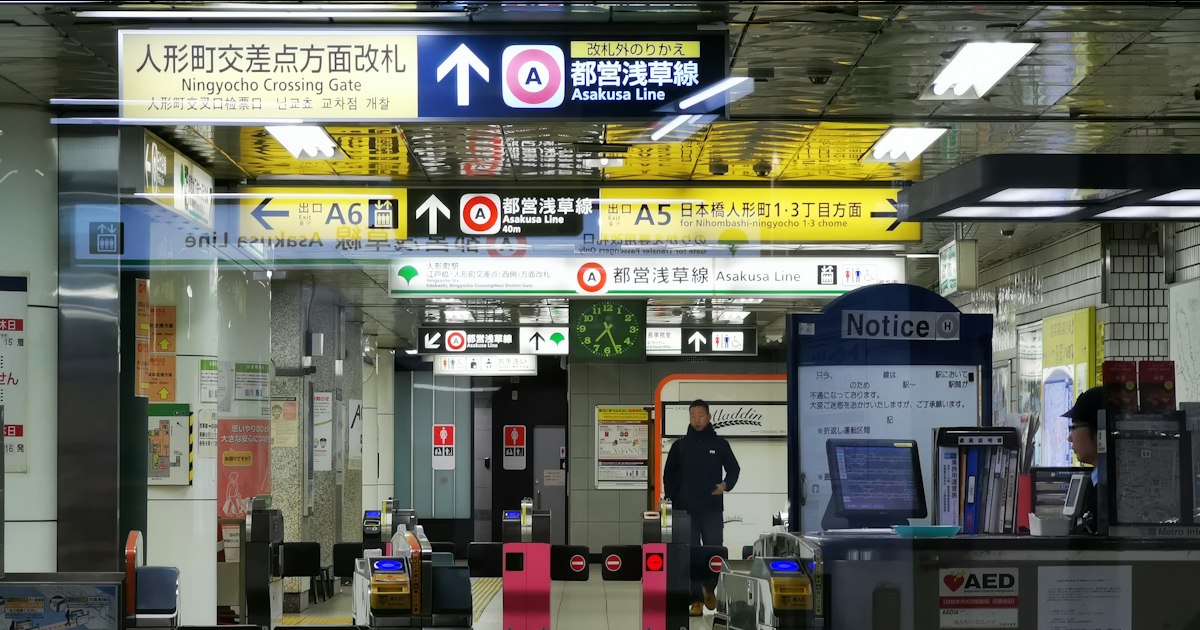
Photo by Yuwei Shaw on Unsplash
You tap your Suica, the bar stays shut, a red light flashes, and a line of commuters is now stacking up behind you. It happens to almost every visitor at some point — and it’s rarely a sign that you’ve broken the card or done something wrong. Japanese ticket gates are strict machines that reject anything slightly out of range, which means fixable problems look alarming in the moment. Here’s what’s actually going on and how to get through without panicking.
Why the Gate Rejected You in the First Place
There are only a handful of real causes, and almost all of them are boring and solvable on the spot:
- Insufficient balance. The most common issue by far. IC cards (Suica, PASMO, ICOCA) calculate your fare only when you exit, so if your balance drops below the exit fare, the gate blocks you at the last station, not the first.
- Entry/exit mismatch. If you tapped in at a station but the card thinks you never tapped out from a previous ride (common after transferring between unlinked lines, like certain private railways to JR), the system assumes you’re still “inside” the network and won’t let you tap in again.
- Paper ticket issues. A paper ticket that’s bent, has a torn magnetic stripe, or was already used (or is for the wrong fare) will be spat back out or simply not register.
- Expired or wrong-type pass. A regional rail pass, a Japan Rail Pass exchange voucher mix-up, or a commuter pass (teiki) that’s outside its valid date range or route will bounce every time.
- Two cards in one wallet. If you’re tapping a phone case or wallet with two IC cards stacked together, the reader gets confused reading both at once and rejects the tap entirely. This is an extremely common tourist mistake.
- Physically damaged or very old card. IC cards have a chip and antenna inside; a cracked, bent, or heavily worn card can fail to read.
The Immediate Fix: Don’t Force the Gate
Do not push through the barrier or shove your card against the sensor repeatedly — this is both pointless (the gates lock the barrier, they don’t just beep) and holds up everyone behind you. Instead:
- Step to the side immediately, out of the flow of foot traffic.
- Look for the staffed gate, usually the widest lane at one end of the row, marked with a small booth or window. Nearly every station, even small ones, has one during operating hours (typically 5:00–24:00 in urban areas; rural stations may have shorter or unstaffed hours).
- If no staff is visible, press the intercom button on the gate itself — it connects directly to station staff, who can see your gate remotely via camera and release it.
What to Say to Station Staff
You don’t need fluent Japanese. These phrases cover 90% of situations:
- “Suica ga tsukaemasen” (スイカが使えません) — “My Suica won’t work.”
- “Kippu ga tsukaemasen” (切符が使えません) — “My ticket won’t work.”
- Simply holding up the card or ticket and pointing at the gate works fine too — staff see this dozens of times a day and will usually just ask to see your card, tap it on a handheld reader, and either collect the shortfall fare in cash or wave you through.
If the issue is a negative balance, you’ll typically pay the difference in cash right there (a “fare adjustment” counter, kippu seisanjo, also exists at larger stations and does the same thing automatically — insert your card or ticket, pay the amount shown, and a fresh ticket or adjustment slip comes out). If you’re navigating other Kansai-area station interactions, a few basic Kansai-ben courtesy phrases can also help break the ice — see our guide to Osaka’s dialect and common phrases.
Topping Up Before It Becomes a Problem
Every station has IC card charging machines (chāji-ki) right next to the ticket machines, usually free-standing green or yellow touchscreens. The process is simple: insert the card into the slot, select a top-up amount (common denominations are ¥1,000, ¥2,000, ¥3,000, ¥5,000, and ¥10,000), insert cash, and take the card back out. Most machines take coins and bills; some newer ones at JR East stations also accept credit cards. As a rule of thumb, top up whenever your balance drops under ¥1,000–1,500, especially before a day with multiple transfers.
If you’re relying on your phone’s mobile Suica or Apple Pay version, remember the balance lives on the device, not in the cloud by default for cash top-ups — you still need to physically add funds via the wallet app or at a station machine, and a dead phone battery means no way to tap at all. Carrying a cheap physical backup IC card as insurance isn’t a bad idea on a long trip.
When It’s a Paper Ticket or a Rail Pass, Not an IC Card
Paper tickets fail for different reasons than IC cards, and the fix is usually faster: a staff member glances at it, sometimes re-issues it, and sends you through the manual gate next to the machines. If the ticket is a limited-express or reserved-seat ticket with a separate supplement, make sure both pieces went into the gate together — inserting only one half is a frequent tourist error, since Japanese fare gates expect multiple paper tickets to be fed in as a single stack.
If you’re traveling on a Japan Rail Pass and the exchange voucher side of things goes wrong before you even reach the gate, that’s a related but separate headache — our article on what to do if you lose your JR Pass exchange voucher covers that scenario in detail. And if a gate failure makes you miss a connecting train entirely, know that Japanese delay certificates are designed for employers verifying tardiness, not compensation — see our piece on why train delay certificates rarely help tourists before you ask staff for one expecting a refund.
Common Mistakes That Make It Worse
- Tapping repeatedly in frustration. This doesn’t help and can occasionally cause the card to register a phantom entry, compounding the error on your next tap.
- Walking away without resolving it. If your card shows a mismatched “still inside the gate” state and you don’t fix it with staff, it can block you at the next station too, sometimes at a worse moment with less time.
- Assuming the card is broken and buying a new one. Most rejected taps are balance or logic issues, not hardware failure. Don’t abandon a card with value still on it — get it fixed at the counter instead.
- Losing patience during rush hour (7:30–9:30, 17:30–19:30). Staffed gates are busiest then; if your schedule allows it, sort out card issues outside peak windows to avoid a longer wait.
Prevention: A Quick Pre-Trip Checklist
- Keep IC cards in a separate slot from any other RFID card to avoid double-read errors.
- Check balance at any ticket machine (insert card, balance displays on screen) before a travel-heavy day.
- If switching between a physical card and a phone-based version, don’t carry both active cards for the same trip — pick one and leave the other at the hotel.
- For multi-day regional passes, double-check the valid date range and covered lines printed on the pass itself; a surprising number of gate rejections are simply passes used one line, or one day, outside their coverage.
Gate errors feel stressful for about thirty seconds and then resolve themselves almost every time — Japanese station staff handle them constantly and without judgment. Keep a little cash on hand for top-ups and fare adjustments, flag down staff early rather than fighting the machine, and you’ll be back on the platform before the next train arrives.