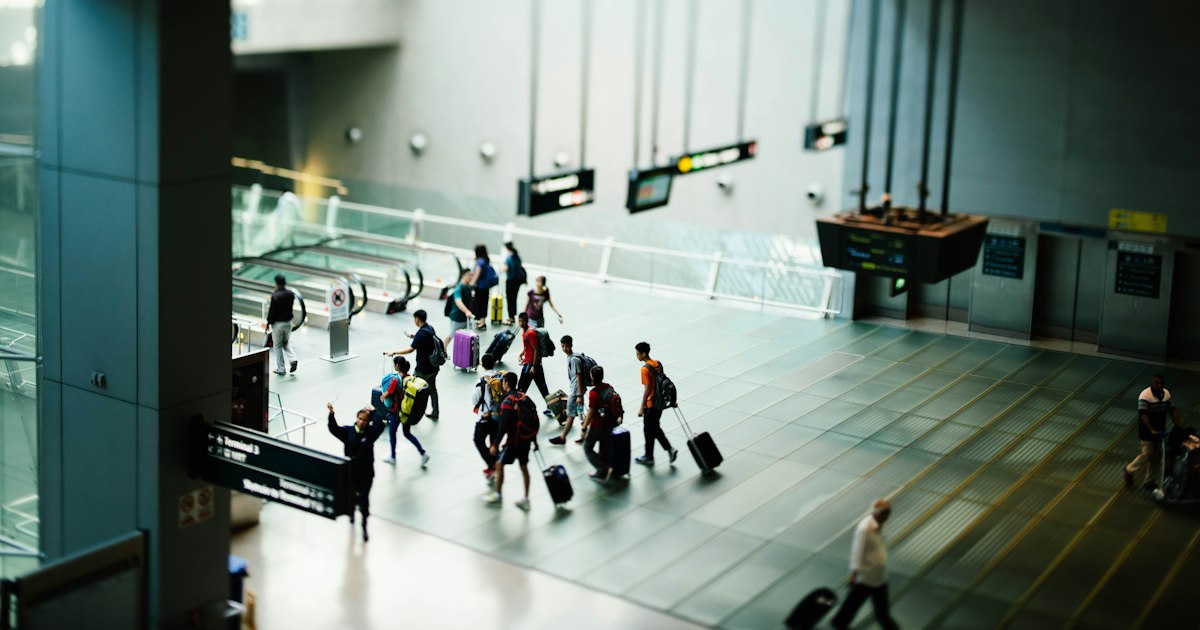
Photo by CHUTTERSNAP on Unsplash
You’ve cleared immigration, grabbed your suitcase, and now you’re standing in Narita’s arrival hall with a wall of counters advertising “FREE WIFI RENTAL” and “SIM CARD HERE” in a dozen fonts. Before you queue up at the wrong one, it helps to know that pocket WiFi and data-only SIM cards solve the same problem — getting your phone or laptop online in Japan — in genuinely different ways, with different prices, different hassle, and different winners depending on your trip.
What’s Actually on Offer at Narita
All three Narita terminals have arrival-hall counters for connectivity, usually clustered near the customs exit where you’ll also see currency exchange booths. In Terminal 1 and Terminal 2 you’ll find multiple competing counters side by side — brands like Global WiFi, Japan Wireless, and Ninja WiFi handle pocket WiFi router rentals, while counters such as Mobal, Sakura Mobile, and b-mobile (Japan Travel SIM) sell data-only SIM and eSIM products. Terminal 3, used mostly by low-cost carriers, has a smaller but similar lineup. Counters generally open around 6:00–6:30am to meet the first international arrivals and stay open until the last incoming flight is processed, often 10:00–11:00pm, but exact hours shift slightly with the flight schedule, so don’t assume a counter will be staffed for a very late or very early arrival — check the specific company’s website the night before you fly.
Pocket WiFi: How It Works and What It Costs
A pocket WiFi router is a small battery-powered device that creates its own WiFi network; you connect your phone, tablet, and laptop to it just like home WiFi, and everyone in your group can share one unit. Walk-up rental at the counter typically runs ¥600–900 per day for an unlimited 4G plan, though pre-booking online a few days before your trip usually drops that to ¥500–700/day and guarantees a unit is waiting with your name on it — walk-up stock does run out during peak cherry blossom and autumn foliage seasons. Premium 5G or higher-speed routers run ¥1,200–1,500/day. You’ll need to charge the device nightly (battery life is usually 8–12 hours of continuous use), carry it with you, and return it either at the counter when you fly home or by dropping it in a prepaid envelope at a post box or airport mailbox — most companies make return simple specifically so you don’t need to detour back to the arrival hall.
Data SIM: How It Works and What It Costs
A data-only SIM card physically replaces or sits alongside your existing SIM in an unlocked phone, giving your device its own direct connection rather than relying on a shared router. There’s no talking or receiving calls on these — some include a Japanese data-only number, but you can’t dial out or receive SMS verification codes reliably, which matters if your bank or airline sends one-time codes to a phone number. Typical pricing is around ¥2,000–3,000 for a 7-day, 10GB plan, or ¥3,500–5,000 for a 30-day plan with 15–20GB, and most are throttled (not cut off) once you exceed the data cap. The upside is no device to charge or carry — it’s just your own phone — but every traveler in your group needs their own SIM and compatible unlocked handset, and the counter staff will need a few minutes to physically swap the card and walk you through the APN settings if the eSIM profile doesn’t install itself.
Which One Actually Suits Your Trip
- Solo traveler with an unlocked phone: SIM wins. Cheaper per person, nothing extra to carry, and you’re not dependent on a second device staying charged.
- Couple or family sharing one data plan: Pocket WiFi wins. One router covers phones, a tablet for the kids, and a laptop, and splitting the daily cost across three or four people beats buying three or four SIMs.
- Trip longer than 3–4 weeks: SIM plans are usually cheaper per day on a 30-day basis than paying router rental day after day, assuming you only need one device online.
- Locked phone or want to keep your home SIM active for calls/messages: Pocket WiFi, since it needs no SIM swap at all and your phone keeps working normally for calls.
- Need for navigation apps the moment you land, with zero setup patience: Pocket WiFi again — power it on and connect, versus a SIM swap plus APN configuration that occasionally trips people up at 11pm after a 12-hour flight.
Common Mistakes at the Counter
The most expensive mistake is walking up without a reservation during a busy season and either paying a premium walk-up rate or finding the popular plans sold out — reserve online if your trip falls around late March to early April or November. The second is assuming a data SIM gives you a usable phone number; if you’re relying on SMS verification for a ride-hailing app or your bank, confirm with the counter staff whether their plan supports it, or keep your home SIM’s roaming as backup. Third, people under-budget data: streaming video or using turn-by-turn navigation all day eats through a 10GB cap faster than expected, especially on multi-week trips through rural areas where you’ll be navigating more and relying on offline maps less. And if you’re returning a pocket WiFi router, don’t leave the return envelope or pouch in your checked luggage — you’ll need it in your carry-on or day bag to drop in a mailbox before you leave Japan.
Beyond the Airport: Staying Connected on Day Trips
Whichever option you choose, a working data connection pays off most once you leave central Tokyo. If you’re routing through Chiba before or after your flight, a data connection makes it far easier to time trains for a day trip to Choshi’s fishing port and the Inubosaki Lighthouse, since bus and train schedules there are sparser than in the city. The same goes for riding the Seibu Railway’s Red Arrow and Laview trains out to Chichibu, where live transfer information saves you from guessing at an unfamiliar station. And if a shopping day is on your itinerary, having maps and store directories on hand makes navigating somewhere like the Karuizawa Prince Shopping Plaza outlet mall far less of a guessing game once you’re off the bullet train.
The Bottom Line
For most short trips with two or more travelers sharing devices, pocket WiFi rental at the Narita counter remains the simplest option — reserve online beforehand to lock in the lower daily rate and guarantee stock. For solo travelers, longer stays, or anyone who’d rather not carry and charge an extra gadget, a data-only SIM at the same arrival hall counters is cheaper and just as fast to get connected, as long as your phone is unlocked and you don’t need the SIM’s number for calls. Either way, budget the five to ten extra minutes at the counter into your arrival plan — it’s far less stressful than trying to find WiFi in the taxi line because you skipped it.